
TMS · Transportation management for shippers
Transportation management for shippers. Tender, track and settle every load.
- Load planning and routing
- End-to-end freight visibility
- Electronic proof of delivery
- Freight settlement
- Connected to your ERP, WMS and OMS
- Driver app, nothing to install
ProdTech TMS plans your loads, connects to your brokers and carriers to tender them, tracks every shipment to proof of delivery and settles freight against what actually moved — connected to your ERP, WMS and OMS.
When freight volume starts to scale
More loads planned. More control. Fewer phone calls.
A TMS does more than show where the truck is. It lets you plan freight on rules, track it on data and pay for it based on the loads that actually moved — so you can ship more without adding people to coordinate it.
Today
- Loads get planned by hand, by whoever knows the lanes
- Finding a shipment means calling the broker or the carrier
- Delays and missed deliveries get explained at the end of the day
- Signed delivery paperwork shows up weeks later — if at all
- You find out what freight cost when the invoice arrives
- More volume means more people coordinating it
With ProdTech TMS
- Loads and routes are built on delivery windows, capacity and distance
- Every shipment's status is right there, no calls needed
- Every exception is logged with its reason and time, as it happens
- Proof of delivery is attached to the order on the spot
- Each load's cost is known, at its contracted rate, before the invoice arrives
- More loads handled by the same transportation team
The goal isn't knowing where the truck is. It's running freight and freight spend as one operation.
The architecture
Your TMS shouldn't work alone
Run it on its own or connect it to your ERP, WMS, OMS, e-commerce platforms, brokers, carriers and every system already in production.
As a standalone TMS
It goes in on its own and runs transportation end to end — customers, delivery locations, fleet and rates included. The right start when freight is the first problem to solve.
Connected to what you already run
It works alongside the systems you have in production and takes from each what belongs to it: orders from the ERP or the OMS, shipment confirmations from the warehouse, status updates from your brokers and carriers. Everything flows through ProdTech Connect, our integration layer, which standardizes what comes in and what goes out.
Connects with
- ERP
- Warehouse management
- Order management and customer portals
- E-commerce and marketplaces
- Brokers and carriers
- In-house and third-party systems
Our system
ProdTech TMS, from dock to delivery
It runs your outbound freight: it schedules pickups against dock appointments, builds loads and routes with an optimizer that geocodes addresses and calculates drive times, and assigns each load to a vehicle, a driver and a carrier. From there it tracks every shipment to delivery, pulling in the status updates each broker and carrier reports. At the end of the period, freight is settled against those same loads.
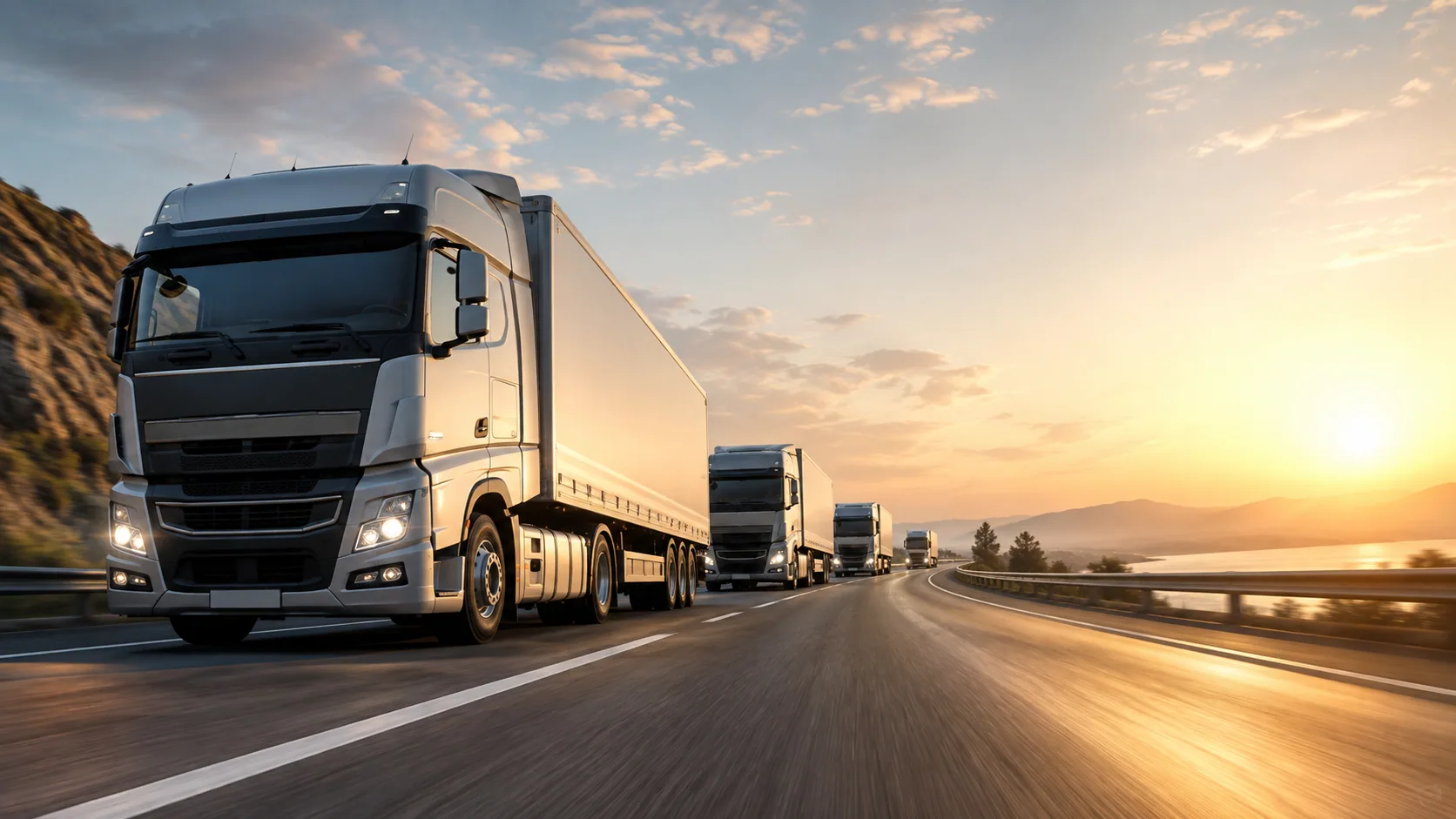
The process, end to end
Orders and dock appointments
Wholesale and e-commerce orders, with pickups scheduled against dock appointments at your facilities and every sales channel covered.
Load planning and routing
An optimizer geocodes addresses and calculates drive times, and every load is assigned a vehicle, a driver and a carrier.
Shipment visibility
The status of every shipment from pickup to delivery — live for your own fleet through the driver app, and combined with what each broker and carrier reports — with exceptions and incidents on record.
Returns and reverse logistics
Wholesale and e-commerce returns, tracked end to end with the carriers handling each pickup.
Freight settlement
Carrier settlement by zone and rate, with rate types, accessorials and surcharges, and pre-invoices closed before the bill arrives.
Dashboard and KPIs
Your whole transportation operation on one screen, with KPIs, exportable reports and automatic alerts.
What doesn't usually come standard
Plan it better
Loads, windows, capacity and fleet, settled before the truck pulls out.
The optimizer explains every run
Each route comes back with its mileage, drive time and quality, and every order left out comes back with the reason — capacity, delivery window, an address that wouldn't geocode — so you fix the data or the fleet instead of guessing.
Your fleet, set up unit by unit
Quantity, equipment type, carrier, plate number and driver for each unit — plus origin, end point, shift hours and starting odometer. The setup carries over from one run to the next.
Delivery windows and multi-day routes
Every location has its delivery window, and the system works out the departure time it requires. When a route won't close in a single day, it plans consecutive days, each with its own shift and end point.
Control execution
What happens on the road reaches the system while the route is still running.
A live monitor, with progress at a glance
Every driver on the map with their breadcrumb trail, completed and open stops, and a separate flag for anyone who hasn't reported a position in a while.
Deliveries close at the delivery location
If the driver is too far from the stop, the app won't just close it: it asks for authorization and records the distance and the actual location where the delivery happened.
Temperature logged at unloading
Temperature is captured as unloading starts and stays with the shipment, so the cold chain is backed by a record taken at the time — not a log filled in after the fact.
Close the books on every load
The same loads you planned and tracked are the ones that get rated and settled.
Rates by zone, mode and equipment type
With carrier, cluster, effective and expiration dates, minimums and maximums. Pre-invoices close at the rate that applied on the date of the load.
The route close-out report
The full trail, milestones with their times, starting and ending odometer, every stop with its window and status, photos and reason codes. One printable sheet per route.
On the road
The driver app, in your drivers' hands
For your private or dedicated fleet: drivers open their assigned route, work the stops in order and close each one from the curb. They log every milestone — arrival, loading, unloading, delay, delivery — with a reason code where needed, capture proof of delivery with a photo and record anything that couldn't be delivered. It all reaches the TMS while the route is still running, not when the truck gets back to the yard.
A driver's day
Today's route
Drivers see their assigned stops with the location name, the address and the products for each one.
At the stop
"Get directions" opens navigation with the address or the coordinates, and loading, unloading and delays are logged with a reason.
The delivery
They close the stop with a photo of the delivery paperwork, or mark it undelivered by picking a reason from a list.
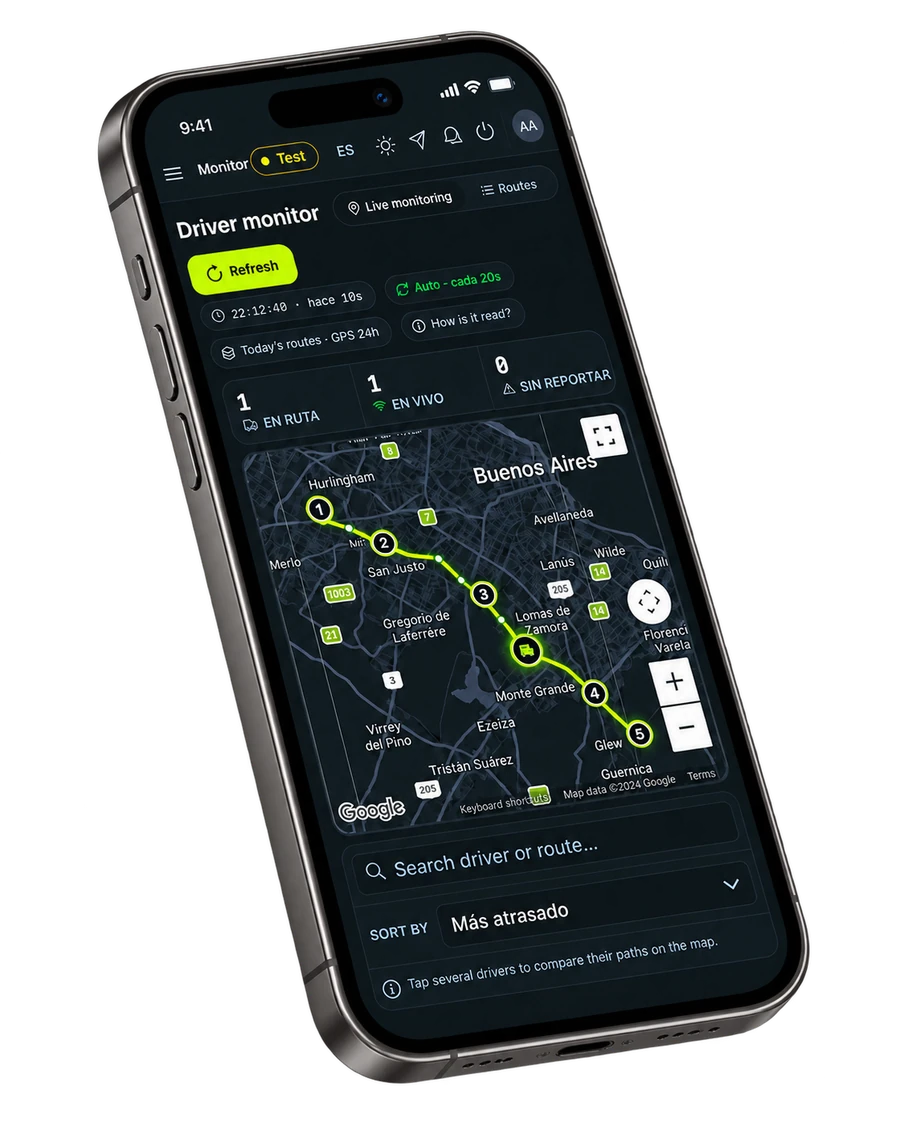
What it records
- Trip milestones
- Delays with reason codes
- Proof of delivery
- Undelivered stops
- Rescheduled stops
- Exceptions and returnable containers
Good to know
- There's no app store and no APK to roll out: it installs from the browser, sits on the home screen with its own icon — iOS included — and updates itself in the background without pulling the driver off the route.
- It runs on the phone your drivers already carry, so there's no hardware to buy or hand out per truck to get started.
- It opens and keeps working when coverage drops on the road: records sync with the system as soon as the connection is back.
- "Get directions" opens the phone's maps app with the stop's address or coordinates, so nobody has to copy an address by hand.
The result
What actually changes in your transportation operation
Freight spend stops being a surprise
You know it by lane and by carrier before the invoice arrives, with the contracted rate applied when the pre-invoice closes.
More loads planned by the same team
Building routes stops being hours of manual work and becomes a run you review and adjust.
Fewer miles and a lower cost per delivery
The optimizer sequences stops for the shortest route that still meets the windows you committed to — fewer miles and fewer fleet hours per delivery.
More deliveries inside the window
Departure times are calculated from each location's delivery window, and anything that won't fit shows up before the truck leaves.
One process for your fleet and your carriers
Loads that move with brokers and carriers keep the same records and statuses as your own trucks — no separate process to manage.
And day to day
Every shipment's status, without calling anyone
Your team sees where each route is and which stops are done and still open, while the route is still running.
Delays explained with data, not from memory
Every delay and missed delivery is logged with its reason and time, so you can analyze it later instead of just justifying it.
Claims answered with evidence captured on the spot
The POD photo, the arrival time and who signed for it stay with the order — no digging for paperwork weeks later.
Less dependence on whoever knows the lanes by heart
Zones, windows and every location's constraints live in the system, not in one person's head.
The point isn't just a route you can follow on a map. It's a more predictable freight operation, with tighter control of cost per delivery, that can grow without adding coordination.
If you're evaluating
Where ProdTech TMS fits
Fit isn't about your industry — it's about how you move freight. It shows up when loads, statuses and cost need more precision than spreadsheets and phone calls can deliver.
Private fleet, brokers and carriers
Shippers moving freight with their own trucks, contracted carriers, brokers — or all three — in one process.
Store and branch replenishment
Daily routes to locations with delivery windows, where one late arrival pushes back every stop after it.
Retail and e-commerce
Wholesale and home deliveries in the same operation, with returns and pickups following the same route.
Cold chain
Temperature logged at every unload and shipment-level traceability, where delivery has to be provable.
3PLs and carriers
Multiple shipper clients on one platform, with your own fleet and contracted carriers working the same process.
Growing operations
The routes still work, but every jump in volume costs another person coordinating by phone.
Transportation complexity isn't measured by fleet size. It's measured by stops, windows, carriers — and everything you need to be able to explain afterwards.
FAQ
Frequently asked questions about ProdTech TMS
What is a TMS for shippers?
A TMS for shippers is software that lets the company that owns the freight plan, tender, track and pay for its shipments — whether they move with brokers, asset carriers or a private fleet.
Can we tender loads to our brokers and carriers from the TMS?
Yes. As part of the implementation we connect the TMS to each broker and carrier you work with, by API or EDI, through ProdTech Connect. Loads then go out electronically, and acceptances and status updates come back into the TMS — no phone calls, no email threads.
Does it handle dock appointments?
Yes. Pickups are scheduled against dock appointments at your facilities, so loading is planned instead of improvised.
How do we get freight visibility?
Every shipment's status lives in one place — what your brokers and carriers report plus what drivers log in the app — with exceptions flagged as they happen.
How is proof of delivery captured?
Electronically. Drivers capture POD in the app with a photo of the delivery paperwork, and brokers and carriers send theirs through ProdTech Connect.
Can it help us control freight spend?
Yes. You see cost by lane and by carrier, and freight is settled against the loads that actually moved — with rates, accessorials and surcharges applied before the invoice arrives.
Does it work with a private fleet too?
Yes. Run your private or dedicated fleet alongside brokers and carriers in the same TMS, with a browser-based driver app — nothing to install.
Want to see how ProdTech TMS would fit your operation?
We review how you move freight today, the brokers and carriers you work with and the integrations you need — and come back with a solution built around how you actually operate. The initial assessment is free.